HAProxy란?
L4/L7 로드밸런서를 위한 고성능 오픈소스 프록시 서버 HAProxy에 대해 알아봅니다.
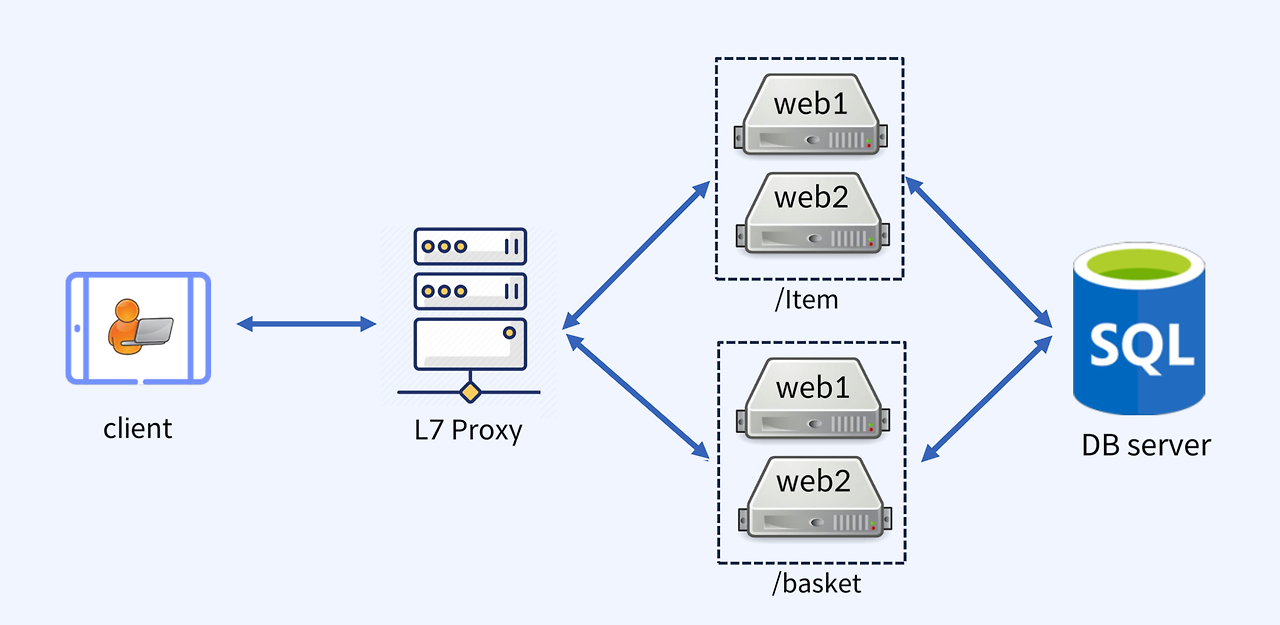
HAProxy란?
HAProxy란?
HAProxy는 하드웨어 기반의 L4 / L7 스위치를 대체하기 위한 오픈소스 소프트웨어 솔루션입니다.
TCP 및 HTTP 기반 애플리케이션을 위한 고가용성(Active-Passive), 로드밸런싱, 프록시 기능을 제공하며, 매우 빠르고 안정적인 무료 Reverse Proxy입니다.
주요 기능
- SSL 지원
- Loadbalancing (Round-Robin 등)
- Active Health Check
- KeepAlived 기반 Proxy 이중화
특히 대규모 트래픽을 처리하는 애플리케이션에 적합하며, 간단한 설정만으로도 안정성과 성능을 확보할 수 있는 장점이 있습니다.
SSL/TLS 암호화 지원을 통해 보안을 강화할 수 있으며, 다양한 환경에서 유연하게 동작합니다.
HAProxy L4 (Layer 4)
- OSI 7 Layer 중 Layer 4는 IP와 Port 기반의 트래픽 전달이 특징입니다.
- 사용자 요청은 웹 서버들에 Round-Robin 방식으로 부하 분산됩니다.
L4 로드밸런싱은 네트워크 레벨에서 빠르고 간단하게 트래픽을 분산시킬 수 있어 많은 웹 애플리케이션에서 활용됩니다.
HAProxy L7 (Layer 7)
- OSI 7 Layer 중 Layer 7은 HTTP URI 기반으로 트래픽을 분산합니다.
- 동일한 도메인(
example.com) 내 다양한 URI 경로에 따라 트래픽을 각기 다른 서버에 전달할 수 있습니다. - 예:
example.com/item→ item 서버example.com/basket→ basket 서버
L7 로드밸런싱은 애플리케이션 수준에서 정교한 제어가 가능해 세분화된 트래픽 관리에 유리합니다.
L7 HAProxy 실습 순서
기본 HTTP 방식
VM IP:80 → node1, node2, node3 부하 분산URI 기반 방식
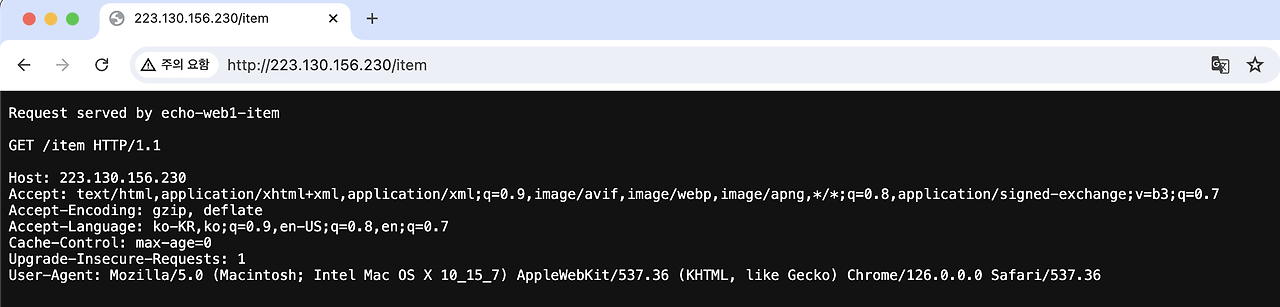
- VM IP:80/item → node1, node2
- VM IP:80/basket → node3, node4
각각의 방식의 차이를 직접 실습을 통해 체험해 볼 수 있습니다.
실습 환경
- NCP VM (Ubuntu 22.04 / vCPU 2 / RAM 4GB)
- Docker Engine 사전 설치
1. 기본 HTTP 방식 구성
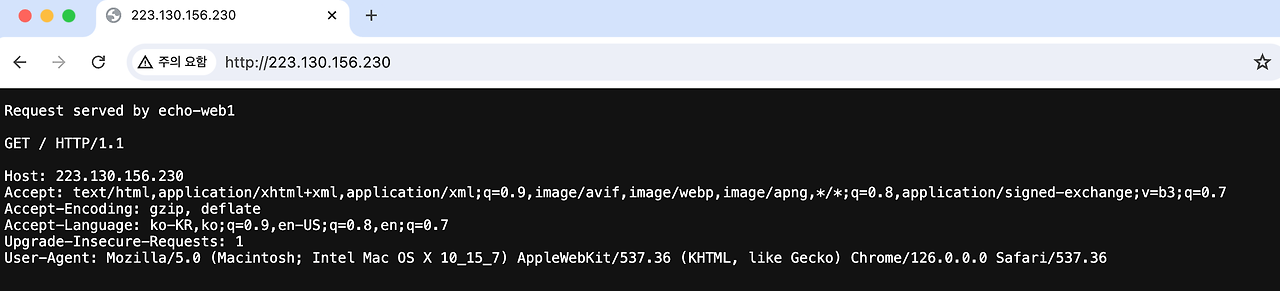
Web 컨테이너 구성
1
2
3
4
5
docker network create proxy-net

docker run -d --name=echo-web1 --net=proxy-net -h echo-web1 dbgurum/haproxy:echo
docker run -d --name=echo-web2 --net=proxy-net -h echo-web2 dbgurum/haproxy:echo
docker run -d --name=echo-web3 --net=proxy-net -h echo-web3 dbgurum/haproxy:echo
haproxy.cfg 구성
1
2
3
4
5
6
7
8
9
10
11
12
13
14
15
16
17
18
19
20
21
22
23
24
25
26
global
  stats socket /var/run/api.sock user haproxy group haproxy mode 660 level admin expose-fd listeners
  log stdout format raw local0 info

defaults
  mode http
  timeout client 10s
  timeout connect 5s
  timeout server 10s
  timeout http-request 10s
  log global

frontend stats
  bind *:8404
  stats enable
  stats uri /
  stats refresh 10s

frontend myfrontend
  bind :80
  default_backend webservers

backend webservers
  server s1 echo-web1:8080 check
  server s2 echo-web2:8080 check
  server s3 echo-web3:8080 check
HAProxy 컨테이너 실행
1
docker run -d --name=haproxy-container   --net=proxy-net   -p 80:80 -p 8404:8404   -v $(pwd):/usr/local/etc/haproxy:ro   haproxytech/haproxy-alpine:2.5
접속 테스트
1
2
curl localhost:80
curl localhost:80
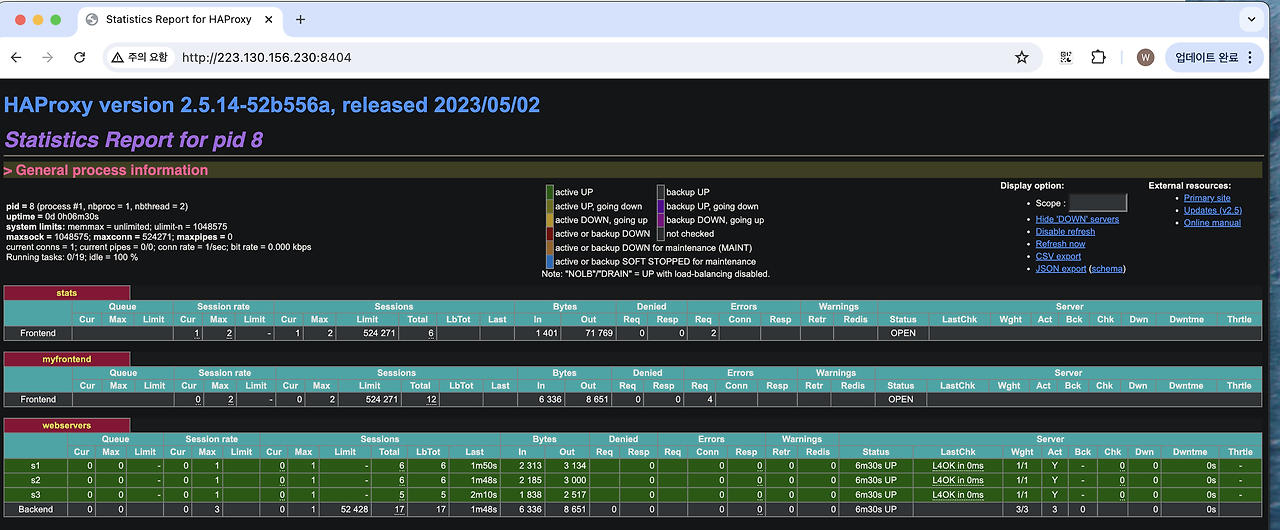 —
—
2. L7 URI 방식 구성
haproxy.cfg 구성
1
2
3
4
5
6
7
8
9
10
11
12
13
14
15
16
17
18
19
20
21
22
23
24
25
26
27
28
29
30
31
32
33
34
35
36
37
38
39
40
global
  stats socket /var/run/api.sock user haproxy group haproxy mode 660 level admin expose-fd listeners
  log stdout format raw local0 info

defaults
  mode http
  timeout client 10s
  timeout connect 5s
  timeout server 10s
  timeout http-request 10s
  log global

frontend myfrontend
  bind :80
  default_backend webservers

  acl echo-web1-item path_beg /item
  acl echo-web2-item path_beg /item
  acl echo-web3-basket path_beg /basket
  acl echo-web4-basket path_beg /basket

  use_backend echo-web1_backend if echo-web1-item
  use_backend echo-web1_backend if echo-web2-item
  use_backend echo-web2_backend if echo-web3-basket
  use_backend echo-web2_backend if echo-web4-basket

backend webservers
  balance roundrobin
  server s1 echo-web1-item:8080 check
  server s2 echo-web2-item:8080 check
  server s3 echo-web3-basket:8080 check
  server s4 echo-web4-basket:8080 check

backend echo-web1_backend
  server s1 echo-web1-item:8080 check
  server s2 echo-web2-item:8080 check

backend echo-web2_backend
  server s3 echo-web3-basket:8080 check
  server s4 echo-web4-basket:8080 check
Web 컨테이너 구성
1
2
3
4
docker run -d --name=echo-web1-item --net=proxy-net -h echo-web1-item dbgurum/haproxy:echo
docker run -d --name=echo-web2-item --net=proxy-net -h echo-web2-item dbgurum/haproxy:echo
docker run -d --name=echo-web3-basket --net=proxy-net -h echo-web3-basket dbgurum/haproxy:echo
docker run -d --name=echo-web4-basket --net=proxy-net -h echo-web4-basket dbgurum/haproxy:echo
HAProxy 컨테이너 실행
1
docker run -d --name=haproxy-container   --net=proxy-net   -p 80:80 -p 8404:8404   -v $(pwd):/usr/local/etc/haproxy:ro   haproxytech/haproxy-alpine:2.5
접속 테스트
1
2
3
4
curl localhost/item
curl localhost/item
curl localhost/basket
curl localhost/basket
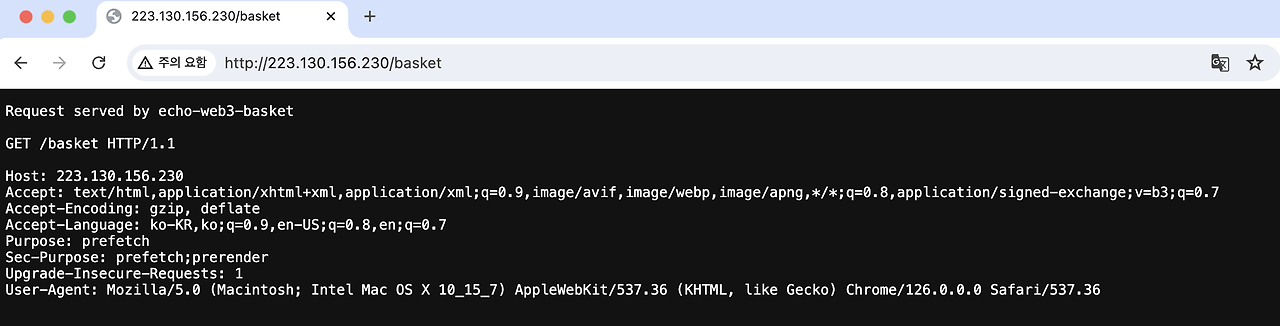
This post is licensed under CC BY 4.0 by the author.